Corsair Cove Build Your Pier Here — Stuck Fix
Clear the giant Pier tutorial banner after Patch #1 without rebuilding your dock.
If a giant Build Your Pier Here or Place your Pier here banner follows you across cliffs, cutscenes, and world-map transitions even after the Pier is finished, you hit a launch-week tutorial bug — not a broken dock. Limbic’s Patch #1 (v1.1.1.241792) officially fixed the stuck hint and added a save-guard for older saves. This guide walks the verified recovery path so you keep your cove instead of restarting Story Mode.
Full changelog context: Patch #1 tutorial hint fixes. Pier construction basics: Ship building and Getting Started.
Quick fix (do this first)
- Close Corsair Cove completely.
- Let Steam (or your storefront) download Patch #1 — confirm build 1.1.1.241792 or newer.
- Restart Steam if the update never appears in Downloads.
- Launch the game and load the affected save.
- Complete the next objective shown in the upper-left corner (construction step, event choice, or journal beat — whatever the game asks next).
- Wait for the save-guard to clear the outdated Pier hint. It may remain for a short time after load; progression is what removes it.
You should not need to destroy the Pier, place a second Pier, or begin a new campaign for the banner alone.
Why the message gets stuck
Player reports cluster around placing or finishing the Pier while tutorial dialogue and objective transitions are still catching up. The construction step and tutorial tracker fall out of sync, so the giant placement hint never dismisses even though ships can already dock.
That means:
- A working Pier with Landlubber construction available is usually fine.
- The banner is a UI / tutorial state problem, not proof the foundation failed.
- Pre-patch save/reload tricks were inconsistent — treat them as obsolete once Patch #1 is installed.
How the Patch #1 save guard works
Official Steam notes state that the Pier hint may still appear when you load a save that was already stuck. The new system watches for tutorial progression and save loads, then strips hints that should no longer be active. Completing the next objective is the trigger Limbic documented for players.
Practical implication: do not load the save, stare at the banner for five seconds, quit, and declare the patch broken. Stay in-session long enough for another objective to complete.
If the banner is still there
Work through this ladder before nuking progress:
- Confirm the game version is 1.1.1.241792+ (not the bare July 31 launch build).
- Create a new manual save, fully quit, restart Steam, reload that slot.
- Complete another objective after the reload.
- Verify integrity of game files on Steam (or the equivalent repair tool on other storefronts).
- Check whether you are somehow launching an old shortcut or a second install.
- Only then consider a fresh save — and report the stuck case on Hooded Horse Discord with your version string. Links live on Official Links.
What does not fix it
| Bad idea | Why it fails |
|---|---|
| Dismantling and rebuilding the Pier | The Pier is not the broken object |
| Building a second Pier “to satisfy” the hint | Wastes planks; tutorial state may still be stuck |
| Reloading without Patch #1 | Pre-patch reloads often kept the banner |
| Restarting Story at the first sign of the bug | Unnecessary after the save-guard patch |
| Ignoring immigration-only tutorial event rules | Unrelated; Patch #1 also quiets other community events during tutorial |
Pier placement refresher (so you know the dock is valid)
Piers snap to predetermined coastal slots inside pirate-camp range. Typical first Pier flow:
- Unlock the Pier / Shallow Pier entry under community buildings.
- Place the foundation on a highlighted pier slot (often ~30 planks for a Shallow Pier — trust the live tooltip).
- Connect the Pier to the pirate camp with the connection tool so builders and later crew services can reach it.
- Route planks from a warehouse or sawmill along a short path — red routes delay construction.
- Once built, open the Pier UI to start a Landlubber or later hull.
If that sequence already succeeded and ships can be ordered, the stuck banner is cosmetic-tutorial noise. Continue the next quest beat.
Related launch-week friction
- Barbos Bay summary stall — also fixed in Patch #1 when closing the journey summary; see the patch notes.
- Community events mid-tutorial — Patch #1 keeps immigration events but removes other community events until the tutorial ends.
- Need rope for Tier 2 — separate problem; read How to get rope once the Pier UI is usable again.
Video context
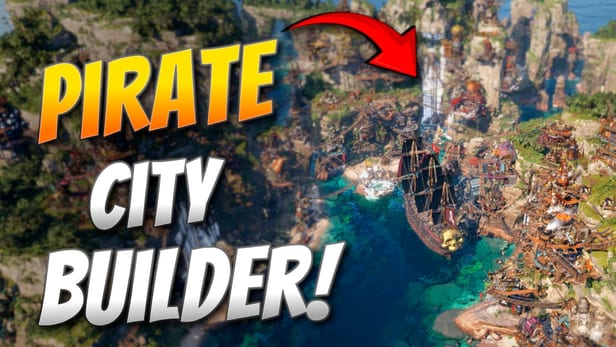
The embedded gameplay clip shows a normal Pier placement and camp connection during a pirate hideout session. Use it to verify your dock looks correct; use Patch #1 for the stuck banner itself.
Related guides
Keep the Pier. Update the client. Finish the next objective. The cliffs look better without a permanent tutorial sticker.
Frequently Asked Questions
Quick answers to the most common questions.
How do I remove the Build Your Pier Here message in Corsair Cove?
Install Patch #1 (v1.1.1.241792), load your save, and complete the next objective. The save-guard system clears the stuck hint after progression.
Do I need to rebuild my Pier?
No. The Pier is usually fine. The bug is a stuck tutorial hint, not a failed building.
Why is the hint still visible right after loading?
Limbic documented that older stuck saves may still show the banner on load. Continue to the next objective so the new guard can remove it.
Does saving and reloading alone fix it?
Not reliably before Patch #1. After the patch, reloading helps only if you also progress an objective on the updated build.
Should I start a new game?
Only as a last resort after verifying the patch, completing objectives, restarting Steam, and repairing game files.