Corsair Cove Patch #2 — Crash Fixes and Gameplay Improvements
Official Steam patch notes for v1.1.2.241844 — stability, shipyard UI, and localisation polish.
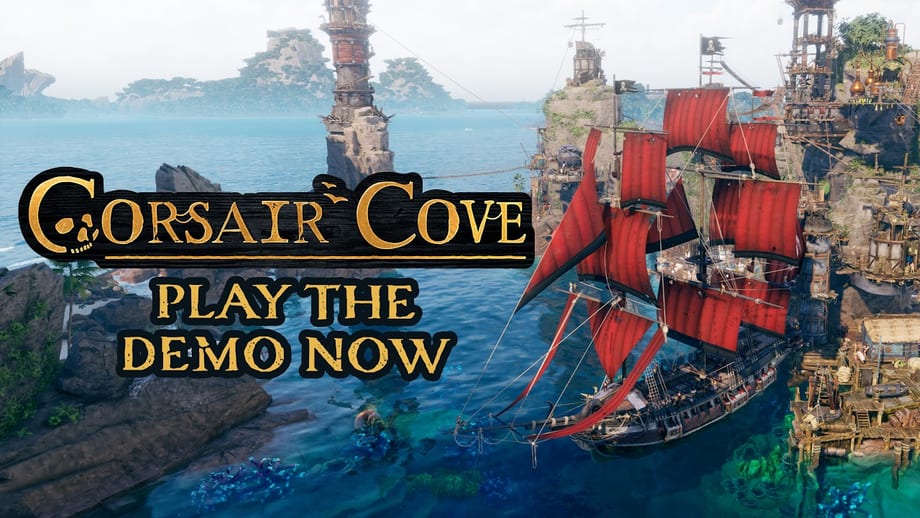
Limbic Entertainment and Hooded Horse shipped Patch #2 for Corsair Cove on August 6, 2026, about a week after the July 31 1.0 launch. The Steam news post is titled Patch #2: Crash Fixes and Gameplay Improvements, and the build string is v1.1.2.241844. Where Patch #1 cleaned stuck tutorial Pier hints, Patch #2 focuses on stability, a handful of gameplay and interface bugs, and localisation polish in English, German, French, and Russian.
Primary source: Steam news for app 1368140. This page mirrors the official changelog in plain language, explains which player workflows change, and links the guides captains should keep open while updating mid-campaign.
If you still see a stuck Place your Pier here banner on an older save, that remains a Patch #1 / Build Your Pier stuck fix issue — Patch #2 does not replace those save guards.
Why Patch #2 exists
Launch-week reviews stayed Very Positive near the mid-80%s while Limbic kept asking players to report crashes and UI oddities. Patch #2 is the second named retail drop: fewer random CTDs, cleaner shipbuilding numbers, and fewer visual glitches around piers and island edges. It is still a reliability patch, not a balance rewrite of production chains or Compass thresholds.
Expect more Steam posts as feedback stacks. This wiki keeps one dedicated article per verified changelog so version strings are easy to find later.
Changelog — v1.1.2.241844
Fixes and improvements
- General crash hardening — Fixed several crashes that could occasionally occur during normal play.
- Hair Graphics Quality crash — Fixed a crash tied to the Hair Graphics Quality graphics setting.
- Barbos Bay event crash — Fixed a rare crash when entering the Barbos Bay event (separate from Patch #1’s journey-summary stall).
- Buccaneer’s End ship clipping — Fixed ships clipping through islands around Buccaneer’s End.
- Crew upkeep display — Fixed crew upkeep values showing incorrectly in the shipbuilding menu.
- Pirate Camp construction error — Fixed a false No drifters available error while a Pirate Camp was still under construction.
- Event scene visuals — Fixed visual issues during certain event scenes.
- Pier fire LOD — Fixed the fire on the Pier disappearing when zooming out too far.
- Localisation polish — Fixed typos, spelling, and grammar issues in English, German, French, and Russian.
What this means for your save
| Situation | After Patch #2 |
|---|---|
| Random crash mid-session | Update and continue — general crash fixes apply to existing campaigns |
| Crash when opening Barbos Bay | Update before re-entering the event; see also Barbos Bay walkthrough |
| Shipbuilding crew costs look wrong | Numbers should match true upkeep — recheck before you recruit Picaroons or Scallywags |
| False “no drifters” while a camp builds | Continue construction; the bogus lock should no longer appear |
| Pier fire vanishes at distance | Cosmetic LOD fix — no gameplay rebuild needed |
| Ships clipping at Buccaneer’s End | Visual / collision cleanup around that map edge |
Crew upkeep display matters more than it sounds. Tier 2 ships unlock and Ship building both assume you can trust the Pier UI when planning Rum or Cassava Bread chains. Wrong tooltips made captains over- or under-build food for advanced crews — Patch #2 restores trust in those numbers.
How to confirm you are on Patch #2
- Close Corsair Cove completely.
- In Steam, open Downloads and confirm app 1368140 finished updating to v1.1.2.241844 (or newer).
- Restart Steam if the update never queues.
- Launch the game and verify the build string through the client / properties path your storefront exposes.
- Load your campaign and spot-check the shipbuilding crew upkeep line before your next keel.
Epic, GOG, Microsoft Store, and PC Game Pass follow each platform’s own cadence. If a non-Steam client lags a day behind Steam news, wait for the platform patch rather than wiping a healthy cove.
What Patch #2 does not change
- No new islands, Story chapters, or Tier 6 hulls.
- No rewrite of Trade Pier / Deep-Water Pier costs or Compass point gates.
- No automatic clear of stuck Patch #1 Pier banners — those still need objective progress after Patch #1.
- No reason to scrap a mid-game Trade Pier or restart Story Mode solely because this stability drop landed.
Balance tuning and larger feature drops will get their own update posts when Hooded Horse publishes them.
Player checklist after updating
| Symptom | Do this |
|---|---|
| Crash on Barbos Bay enter | Update to 1.1.2.241844+, then reopen the event |
| Crew upkeep looked inflated / empty | Re-open shipbuilding UI and replan distributors |
| “No drifters” while camp scaffolds | Keep building the camp; free pirates are not truly zero |
| Pier fire missing when zoomed out | Cosmetic — ignore or nudge zoom after update |
| Still crashing after update | Verify files, note exact action + graphics settings (especially hair quality), report on Discord via Official Links |
How this fits the first two launch weeks
Patch #2 lands after First Week August 2026 and after Patch #1. Together they form the early August reliability ladder: tutorial hints first, then crash / UI polish. Intro discount messaging still pointed into mid-August on Steam — check Pricing for live end dates.
New captains should still open Getting Started and Opening Route Skull Rock before chasing late-game piers. Veterans mid-fleet should re-validate shipyard upkeep, then continue toward Trade and Deep-Water Piers.
Related reading
- Patch #1 tutorial hint fixes
- Out Now 1.0
- Barbos Bay walkthrough
- Ship building
- Pirate camps
- Official Links
Steam asked for reviews and crash reports. Patch #2 is the thank-you note written in hotfix form — keep sailing, and keep the build string current.
Frequently Asked Questions
Quick answers to the most common questions.
What is Corsair Cove Patch #2?
The second post-launch Steam patch (v1.1.2.241844, August 6, 2026) focused on crash fixes, shipbuilding crew upkeep display, Barbos Bay entry crashes, and localisation polish.
Does Patch #2 fix the stuck Pier tutorial banner?
No — that was Patch #1. Update to both patches, then complete the next objective so the Patch #1 save guard can clear the banner.
Why do crew upkeep numbers matter after Patch #2?
The shipbuilding menu previously showed incorrect upkeep. Trust the updated values when stocking Rum or Cassava Bread for advanced crews.
Do I need a new save for Patch #2?
No. Existing campaigns continue. Update Steam, reload, and recheck the Pier UI before your next construction or voyage.
Where are the official Patch #2 notes?
On Steam news for Corsair Cove (app 1368140) under Patch #2: Crash Fixes and Gameplay Improvements. This wiki page summarises that announcement.